
Acepokie login uses a mobile number or username together with a 6–20 character password. The sign-in panel also includes a Forgot Password link and a Register button for players who do not yet have an account. Because Acepokie registration is tied to an Australian mobile number and SMS verification, the same mobile details are central to account access and recovery.
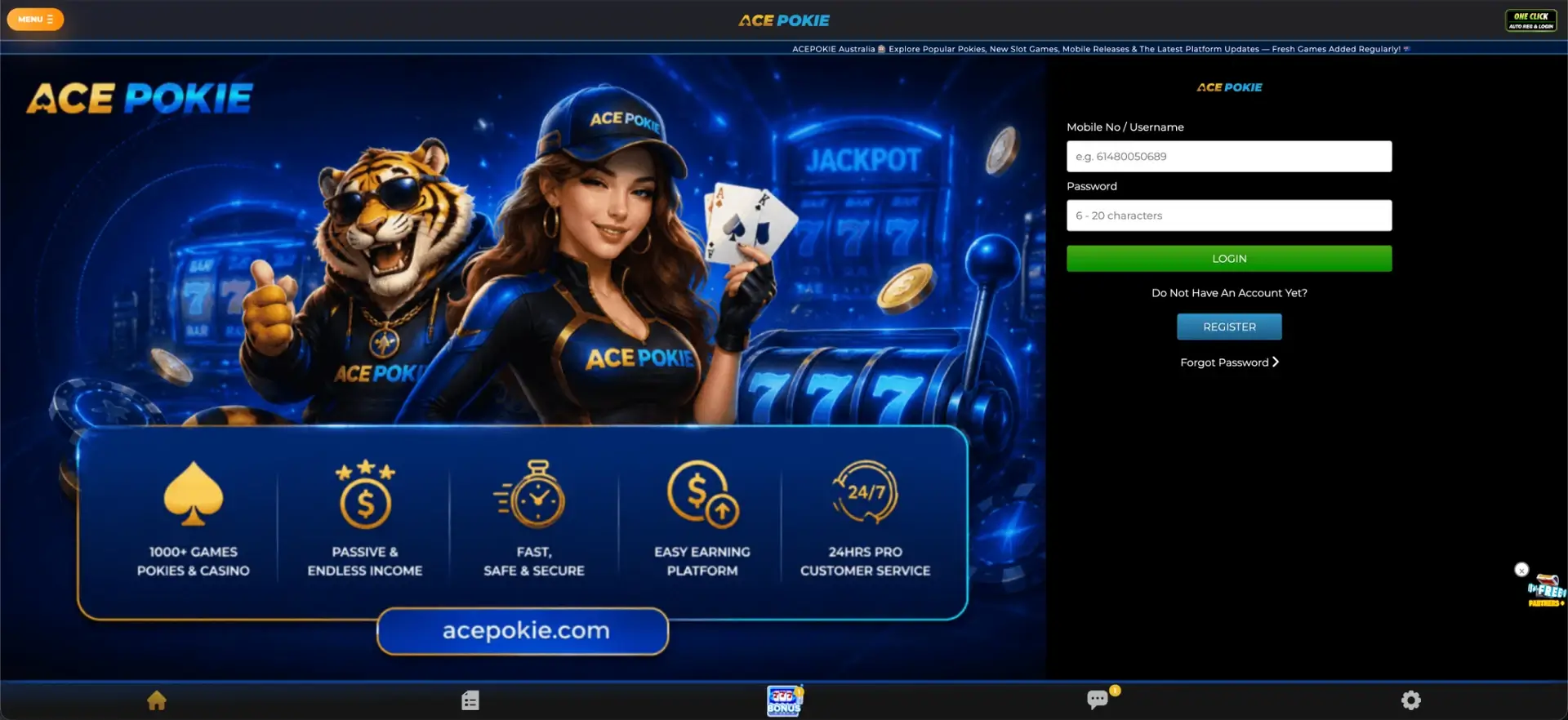
Aussie players can reach the account from the main Acepokie site or mobile layout. The safest approach is to confirm the acepokie.org address before entering credentials, especially when using saved links, search results or a new device.
Acepokie login essentials
The login form itself is short, and the key account details are easy to identify before signing in.
| Login item | Details |
|---|---|
| Username field | Mobile No / Username |
| Password | 6–20 characters |
| Password recovery | Forgot Password link |
| New account access | Register button |
| Registration verification | SMS verification code |
| Account currency | AUD |
| Minimum deposit shown | AUD 10 |
| Minimum withdrawal shown | AUD 30 |
How to use Acepokie login
Existing account holders only need the login identifier and password created for their profile. Acepokie accepts either the registered mobile number or username in the first field.
- Open acepokie.org and select Login.
- Enter the registered mobile number or account username.
- Enter the password created for the account.
- Select Login to open the account.
If the account does not open, recheck the mobile number or username and make sure the password uses the same character case and spelling as when it was created.
Create an Acepokie account before logging in
Players without an account can move from the login page directly to Register. The registration form asks for a full name, Australian mobile number, password, optional Referrer Code and SMS verification code.
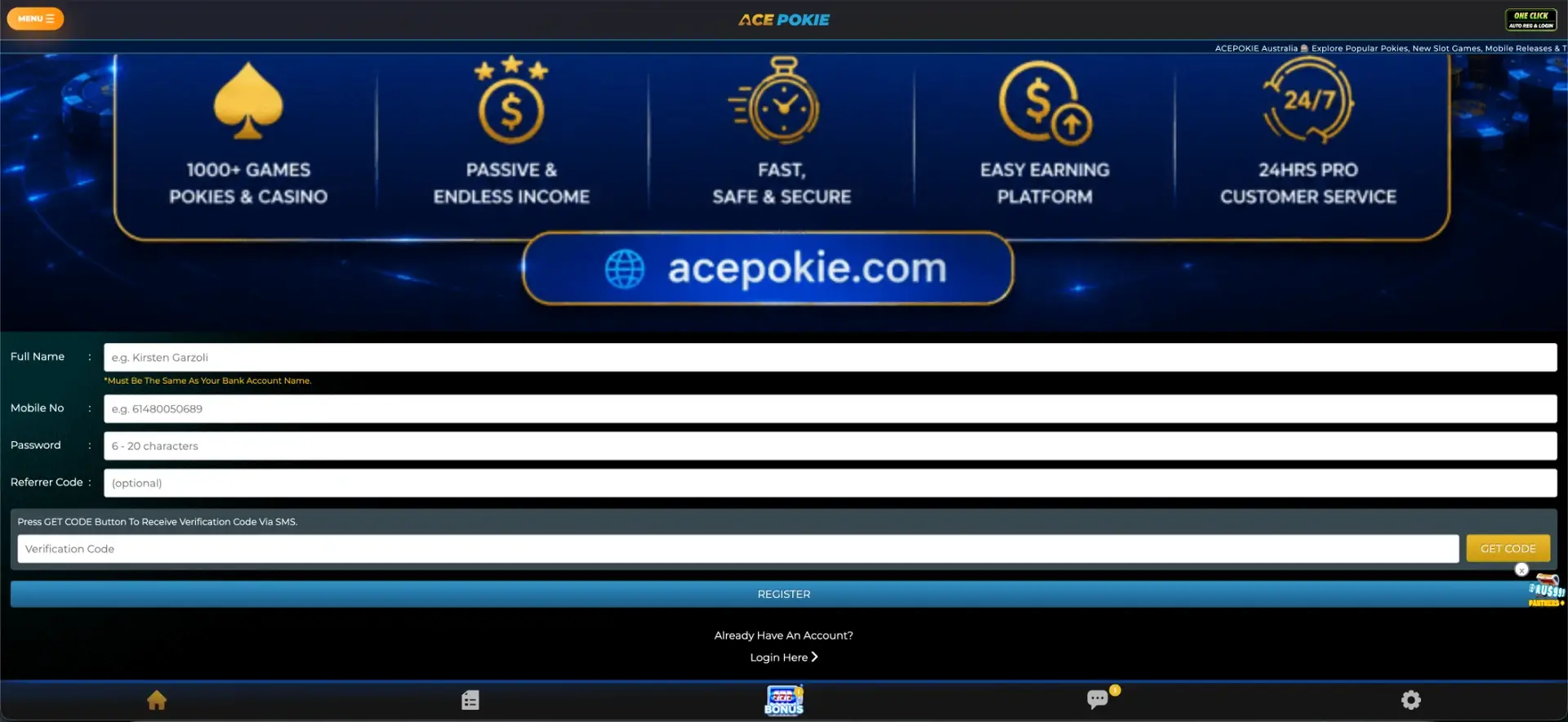
- Enter the full name exactly as it appears on the bank account.
- Add the mobile number that will be linked to the profile.
- Create a password between 6 and 20 characters.
- Add a Referrer Code only if one has been provided for a specific campaign.
- Select Get Code and wait for the SMS verification message.
- Enter the verification code and submit the form.
Matching the account name to the bank account name matters because payment checks can rely on consistent identity details later.
Forgotten Acepokie login password
The login panel includes a Forgot Password link. Players who cannot remember their password should use that recovery route instead of repeatedly guessing and risking a temporary account lock.
Because the account is linked to a mobile number, access to the registered phone may be required during recovery or verification. If the number has changed, customer support may need to confirm the next step.
Acepokie login on mobile
Acepokie promotes a mobile app and also presents account controls in a mobile-friendly layout. Players can use the same account credentials across their authorised access method rather than creating separate profiles for desktop and mobile play.
On a shared phone or tablet, avoid saving the password in the browser and log out after the session. On a personal device, a device lock and up-to-date browser or app version add useful protection around the account.
Common Acepokie login problems
Most sign-in issues come from credentials, mobile-number formatting or an interrupted recovery process. The checks below cover the first things to confirm before contacting support.
- Mobile number not accepted: use the same number linked to the account and check the full number carefully.
- Password rejected: confirm that it matches the 6–20 character password created at registration.
- Forgotten password: use the Forgot Password link rather than opening a second account.
- SMS problem: make sure the registered mobile can receive verification messages.
- Wrong website: check that the address is acepokie.org before entering credentials.
If these checks do not resolve the issue, Acepokie advertises 24-hour customer service, so account access can be raised with support.
What is available after Acepokie login?
Once signed in, players can move between the game lobby, bonus area, account functions and cashier tools from the same interface.
- Slot and pokies lobby
- BONZA games
- Event games
- Live casino
- Sport section
- Bonus and VIP areas
- Deposit and withdrawal controls
- Chat and settings
The account pages also show AUD payment information, including a displayed minimum deposit of AUD 10 and minimum withdrawal of AUD 30.
Acepokie login security
Use a password that is not shared with email, banking or other gambling accounts. Acepokie registration uses SMS verification, so protecting the linked phone number is just as important as protecting the password.
- Do not share login credentials or SMS codes.
- Check the domain before signing in.
- Use a screen lock on the mobile device linked to the account.
- Log out after using a shared device.
- Contact support if account details change unexpectedly.
Acepokie is presented as an 18+ service. Account access should be kept away from minors, particularly on shared household devices.
Acepokie login FAQ
These answers cover the most common questions about signing in and recovering account access.
What do I enter in the Acepokie login field?
Enter the registered mobile number or username, then the account password.
How long can an Acepokie password be?
The password field specifies 6–20 characters.
Can I reset a forgotten Acepokie password?
Yes. The login panel includes a Forgot Password link for account recovery.
Does Acepokie use SMS verification?
Yes. Registration includes a Get Code button that sends a verification code by SMS.
Can I log in to Acepokie from mobile?
Yes. Acepokie provides mobile access and an app download, and the account uses the same login credentials.
What if I no longer have my registered mobile number?
Use the available recovery route and contact Acepokie customer service if access to the old number is required. Avoid creating a duplicate account until support confirms the correct process.